Single Content
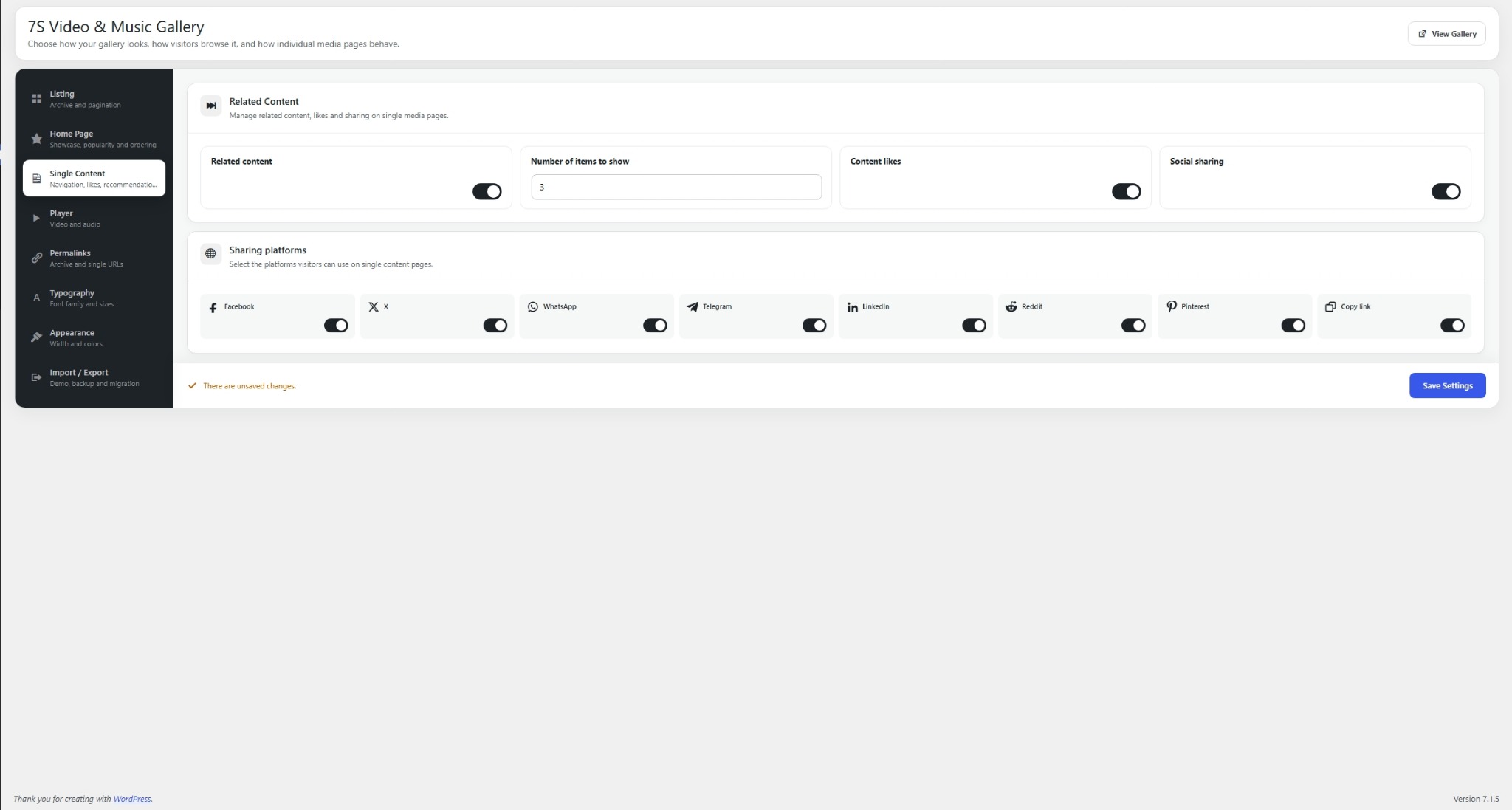
Single Content settings in 7S Video & Music Gallery let you manage related content, the like button and social sharing tools shown on individual video and music pages.
Open 7S Gallery → Settings → Single Content in the WordPress dashboard.
 Enlarge ⤢
Contents
- Single Content settings
- Sharing platforms
- Desktop appearance
- Mobile appearance
- Save settings
- Troubleshooting
1. Single Content settings
Related content
When enabled, related media cards appear below the content. Video pages select other videos sharing a category. Music recommendations use category and tag matches for ordering. The section is hidden if no suitable items exist.
Number of items to show
Display 3 or 4 related items on desktop. On mobile, up to three cards appear in a single row. Fewer cards may be shown if fewer eligible items exist.
Content likes
Enable or disable the like button and its counter. When enabled, visitors can like content or remove their likes. View counts are separate; disabling likes does not disable view counts.
Social sharing
Enable or disable the social sharing area. When enabled, select which of the following platforms to display individually.
2. Sharing platforms
| Platform | Purpose |
|---|---|
| Share the content URL on Facebook. | |
| X | Share the URL on X. |
| Send the URL via WhatsApp. | |
| Telegram | Send the URL via Telegram. |
| Share the content URL on LinkedIn. | |
| Share the URL on Reddit. | |
| Share content on Pinterest. | |
| Copy link | Copy the single content URL to the clipboard. |
Enable only the options you want visitors to use. When Social sharing is disabled, the selected platforms do not appear in the visitor interface.
3. Desktop appearance
 Enlarge ⤢
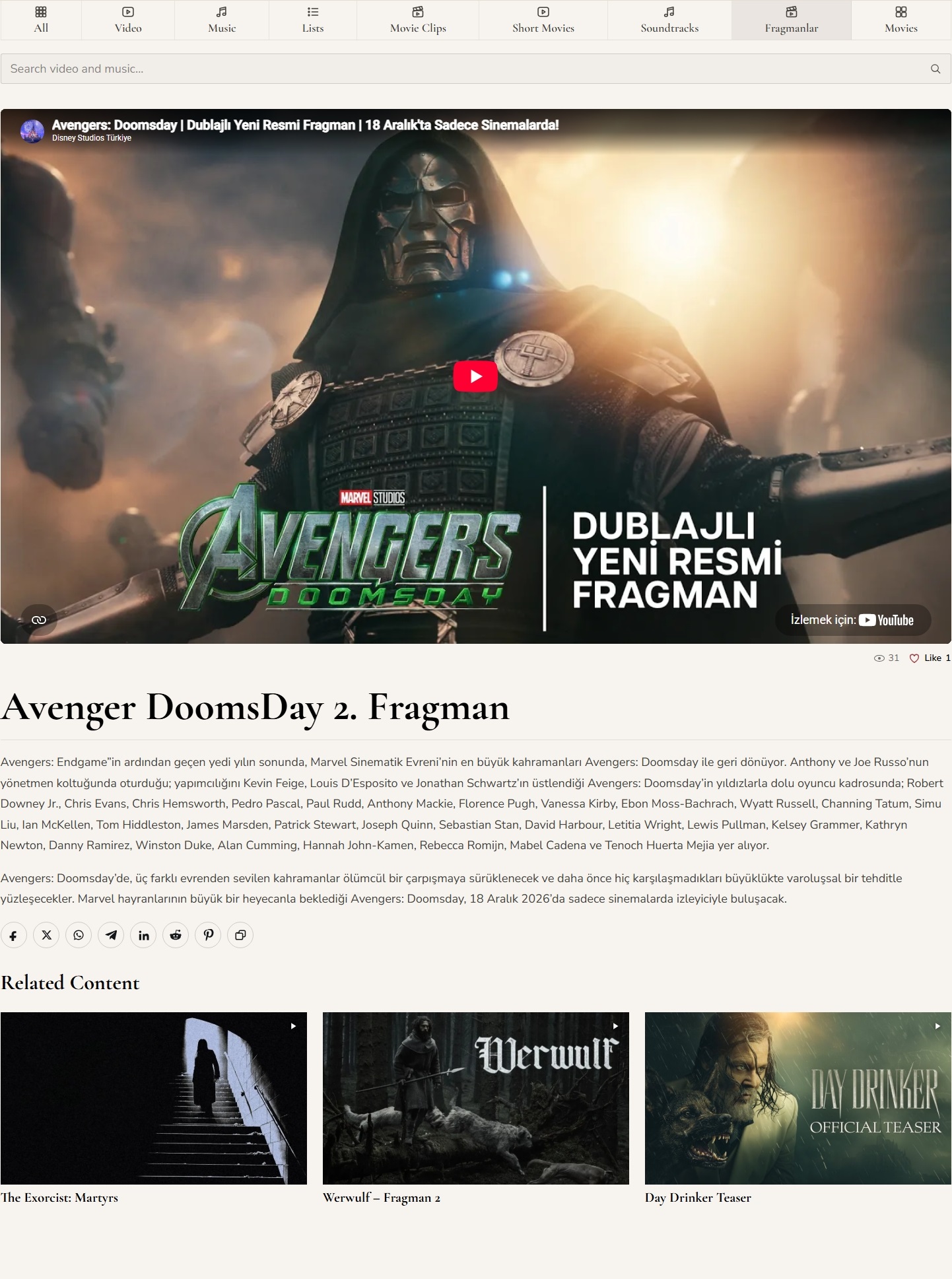
A single content page can contain the gallery menu and search, media player, view and like information, title and description, sharing buttons and related media cards. The player on music pages depends on the media source.
4. Mobile appearance
 Enlarge ⤢
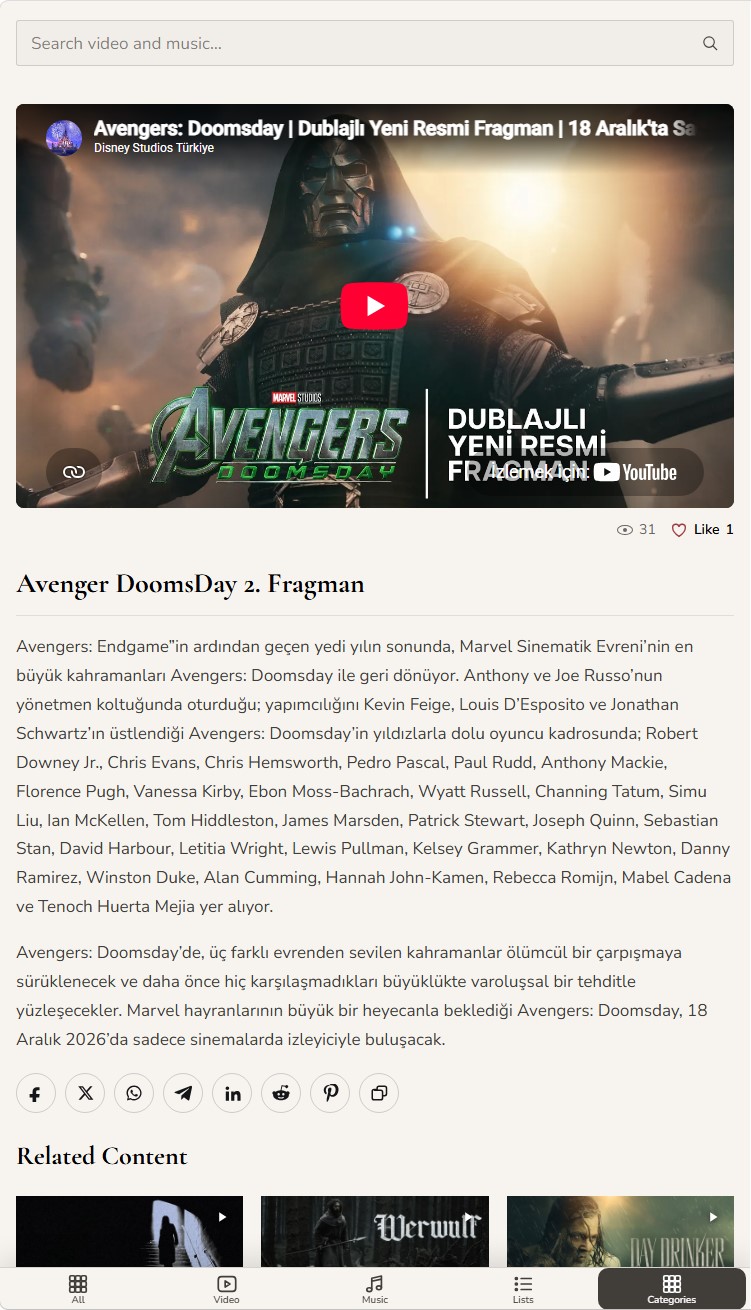
On mobile, the player adapts to the available screen width. Title, description and sharing buttons adapt to screen size. Up to three related cards appear in a single row. When the gallery menu is enabled, mobile bottom navigation is available.
5. Save settings
- Configure Related content and the number of items to show.
- Configure likes and social sharing.
- Choose the sharing platforms you want to use.
- Click Save Settings.
- Open View Gallery and check a video and music page on desktop and mobile.
6. Troubleshooting
| Situation | Solution |
|---|---|
| Related content is missing. | Verify the option is enabled and published media share a category or suitable tags. Video recommendations use shared categories. |
| Four related items do not appear on mobile. | Mobile displays up to three related items. |
| Like button is missing. | Enable Content likes and save. |
| Sharing buttons are missing. | Verify Social sharing and at least one sharing option are enabled. |
Related guides: Player · Typography · Appearance · Categories, Tags and Covers.