Most Liked Settings
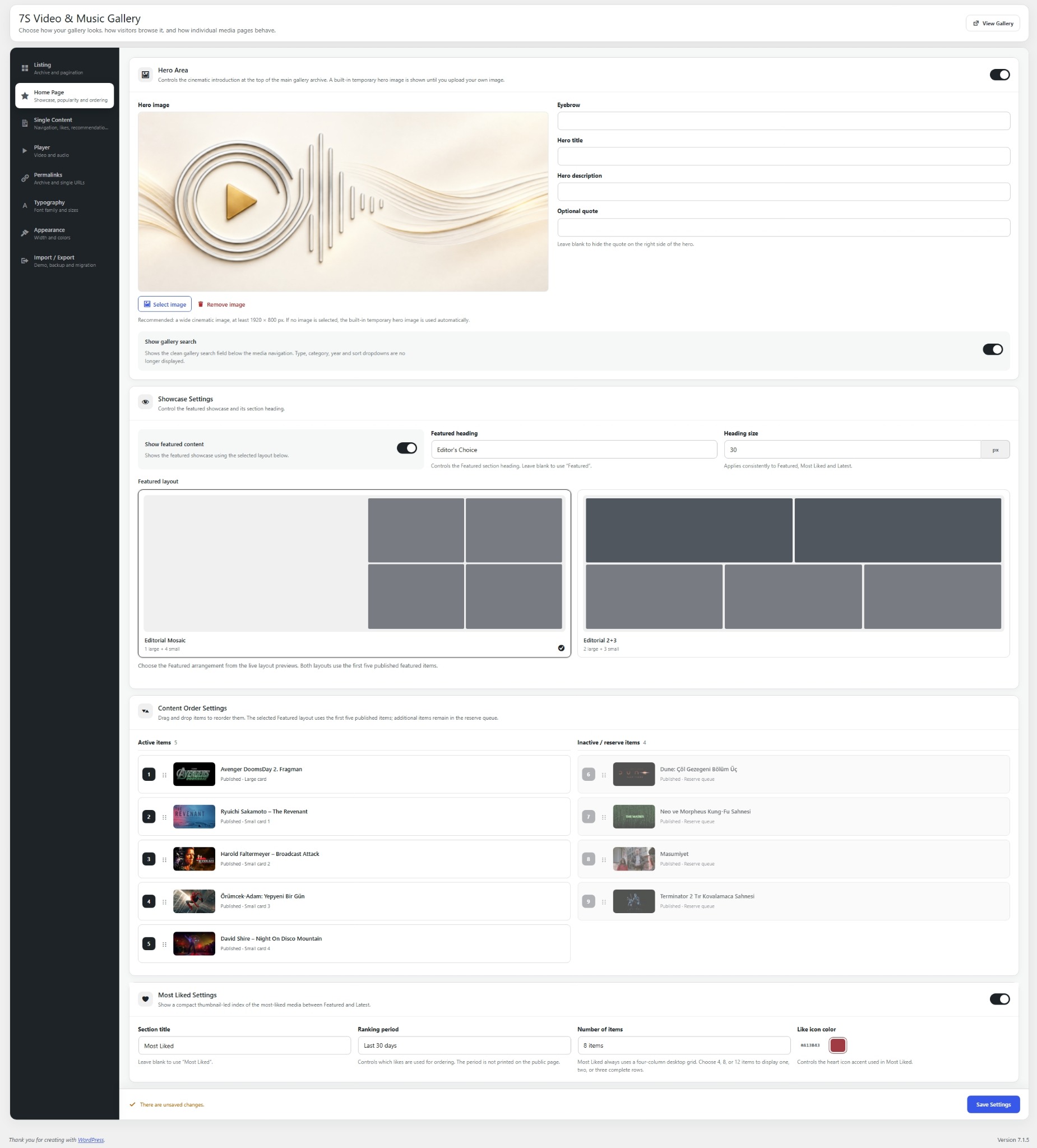
The Most Liked section in 7S Video & Music Gallery brings together popular video and music items on the gallery homepage based on visitor likes. Control visibility, title, ranking period, item count and like icon color.
Open 7S Gallery → Settings → Home Page → Most Liked Settings in the WordPress dashboard.
 Enlarge ⤢
Contents
- Enable the section
- Section title
- Ranking period
- Number of items
- Like icon color
- Gallery homepage appearance
- How like ranking and counters work
- Save settings
- Troubleshooting
1. Enable the section
Use the switch in the Most Liked settings card to enable or disable this section. When enabled, the section makes popular items easier to discover.
7S Gallery → Settings → Single Content → Content likes must also be enabled for the section to appear. Disabling the section does not delete existing likes.
This area belongs to the first, unfiltered gallery homepage; it is not displayed on category pages or in search results.
2. Section title
Set the heading visitors will see on the gallery homepage, for example Most Liked or Popular Content. Changing the heading does not change the ranking period or like counts. Use the relevant Typography controls to adjust its text properties.
3. Ranking period
Determine which time range of likes is used for ranking. Three options are available:
| Option | How it works | Suggested use |
|---|---|---|
| Last 7 days | Prioritizes current likes received in the last seven days. | Weekly popular content. |
| Last 30 days | Prioritizes current likes received in the last thirty days. | Frequently updated galleries. |
| All time | Uses all current likes. | Overall gallery favorites. |
The period affects ranking; it does not reset total like counters.
4. Number of items
Choose 4, 8 or 12 items. When enough eligible records exist, the four-column desktop and two-column mobile layouts are as follows:
| Item count | Desktop layout | Mobile layout |
|---|---|---|
| 4 | 4 columns × 1 row | 2 columns × 2 rows |
| 8 | 4 columns × 2 rows | 2 columns × 4 rows |
| 12 | 4 columns × 3 rows | 2 columns × 6 rows |
Fewer cards may appear if the gallery does not contain enough eligible published media.
5. Like icon color
Set the accent color of the heart icon in the Most Liked section. Select a color or enter its HEX code. Check readability in both light and dark appearances. This does not change colors across the entire site.
6. Gallery homepage appearance
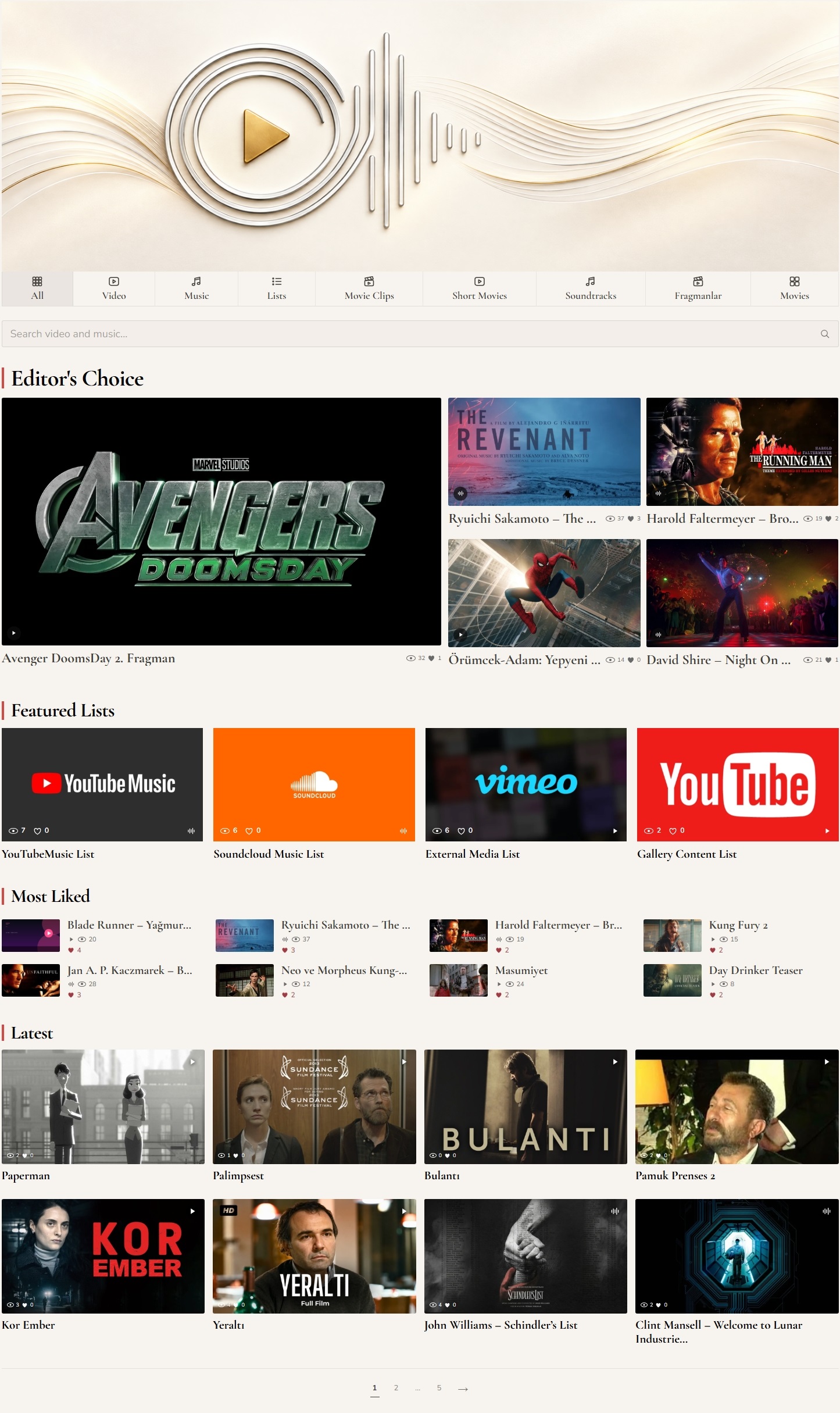
The screenshot below shows the gallery homepage and the position of Most Liked in relation to other content areas.
 Enlarge ⤢
Cards display the media cover, title, type, view and like information. Clicking an item opens its single media page. On narrow screens, the layout adapts to the available width.
7. How like ranking and counters work
Ranking is based on likes in the selected period, not view counts. If the selected period has insufficient liked items, the section is filled up to the chosen count whenever possible:
- First, use the most liked items in the selected period.
- If insufficient, fill remaining slots with all-time liked items.
- If slots remain, use the newest eligible published media records.
Items are not duplicated and artificial likes are not generated. An item with no likes may therefore appear when there are insufficient liked media. The total like count on a card and ranking for the selected period are different metrics. Visitors can remove likes, so totals may change. For detailed reports, use Statistics.
8. Save settings
- Enable Most Liked.
- Choose the section title, ranking period and item count.
- Set the like icon color.
- Click Save Settings.
- Open View Gallery to check desktop and mobile appearance.
9. Troubleshooting
| Situation | Explanation or solution |
|---|---|
| Section is missing. | Check that Most Liked and Content likes are enabled, that you are on the first gallery archive page, and eligible published content exists. |
| Items with no likes appear. | When liked media are insufficient, remaining slots are filled with real gallery items. |
| Ranking does not match total likes on cards. | Ranking uses the selected period; cards show total likes. |
| Fewer than 12 items appear despite selecting 12. | There may be insufficient eligible published media. |
| Four columns are not visible on mobile. | The layout adapts to two columns on narrow screens. |
| I want to change the heading or text size. | Use Section title and the relevant Typography controls. |
Related guides: Single Content · Statistics · Typography · Showcase Settings.