Player
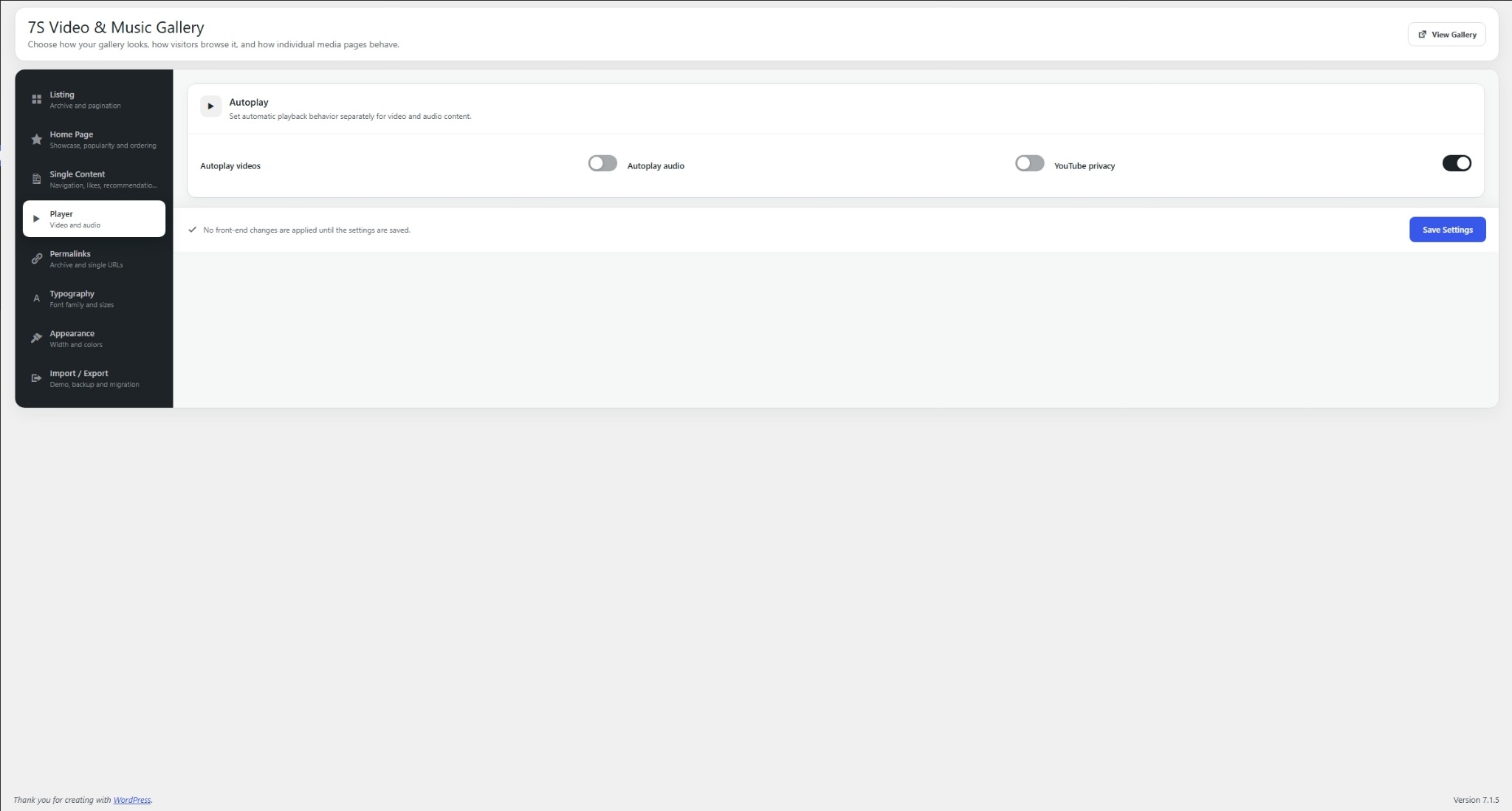
7S Video & Music Gallery presents video and music through players suited to their sources. Use external video services such as YouTube and Vimeo, music platforms such as Spotify, SoundCloud, Apple Music, Deezer and YouTube Music, or audio and video files hosted on your own website. Player appearance and available controls vary by media source.
Open 7S Gallery → Settings → Player in the WordPress dashboard.
 Enlarge ⤢
Contents
1. Player settings
Autoplay videos
Requests automatic playback when the page opens for supported video sources. When disabled, visitors use the Play button. Browser permissions, especially for autoplay with sound, and provider policies mean enabling this setting does not guarantee automatic playback for every video.
Autoplay audio
A separate autoplay control for audio and music, independent of video autoplay. An autoplay request can be made for local audio files and supported external sources; a provider’s own player may not accept the request.
YouTube privacy
When enabled, YouTube videos use the privacy-enhanced embed address (youtube-nocookie.com). This changes YouTube’s embedding privacy behavior; it does not eliminate all third-party network requests, data transfers or cookies. It is not a substitute for your site’s other privacy and consent settings.
2. Video players
YouTube player
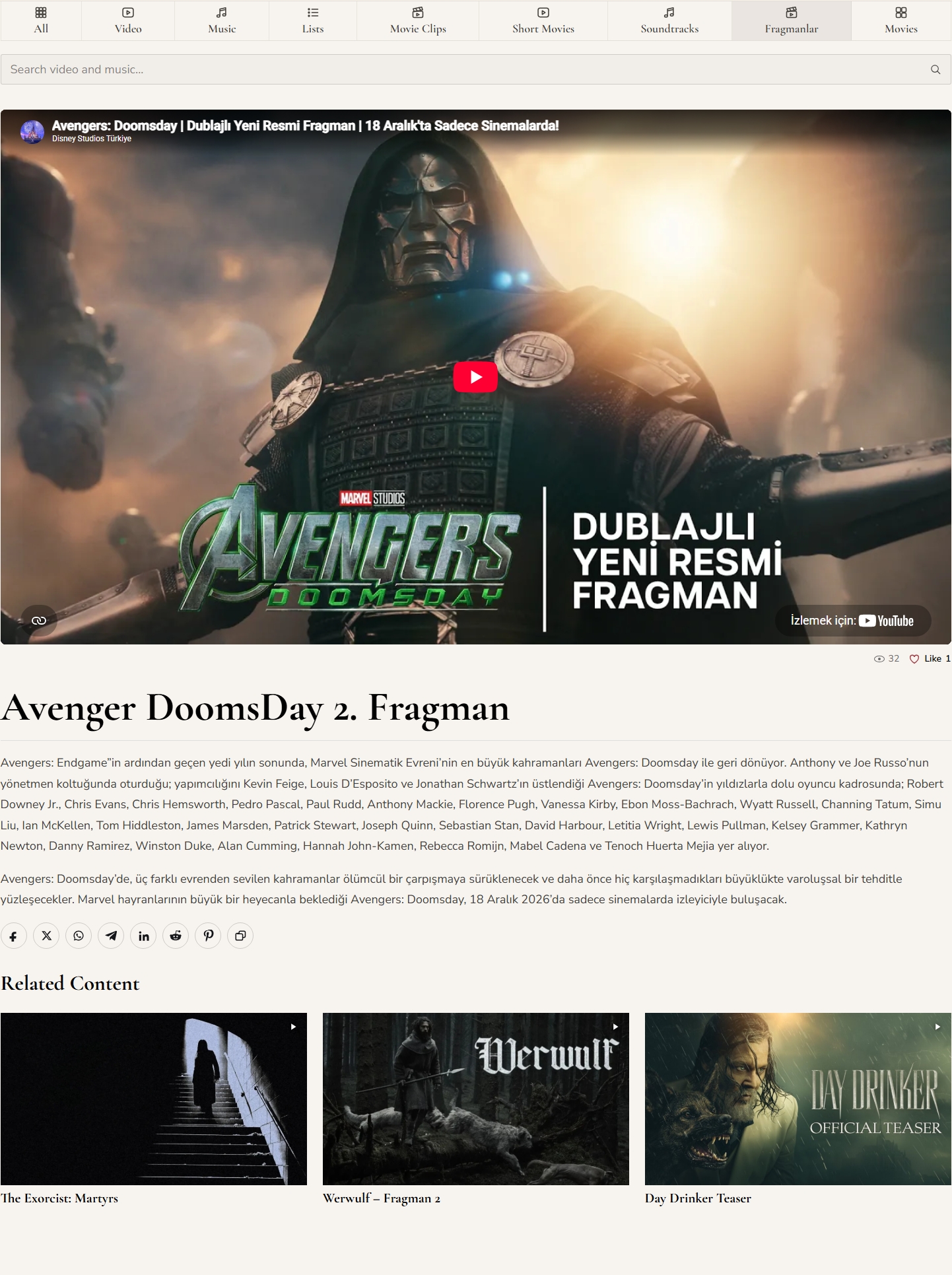
A YouTube link displays an embedded YouTube player on the single media page. Playback, pause, timeline, volume, quality and fullscreen are controlled through the options YouTube provides. The source owner must allow embedding.
Example: On the Avenger DoomsDay second trailer page, the YouTube player appears above view and like information, the title, description, sharing buttons and related content.
 Enlarge ⤢
Vimeo player
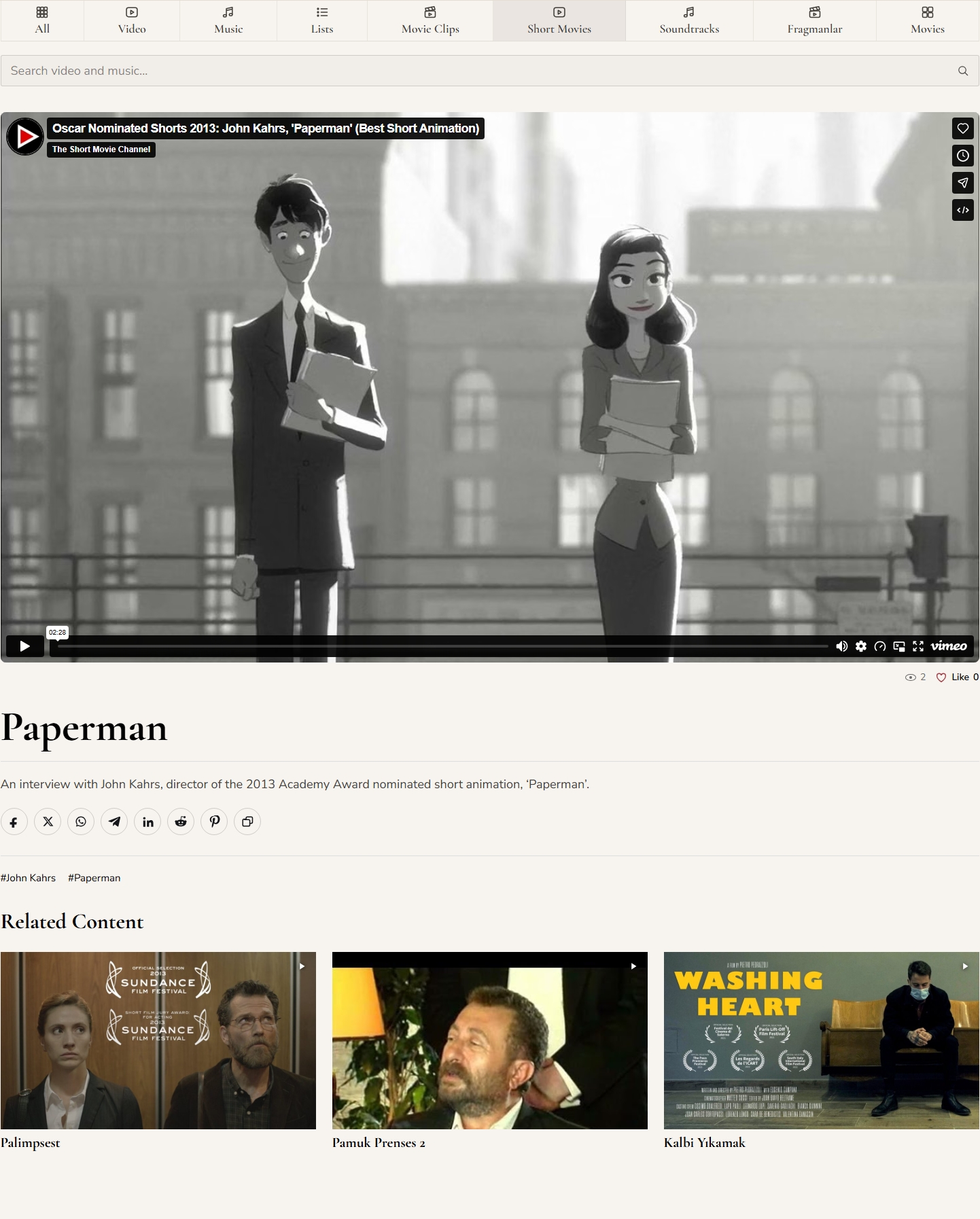
A Vimeo URL displays Vimeo’s embedded player. Use the provider’s interface for progress, volume, fullscreen and available quality, speed or other controls. The video owner’s embedding permissions and Vimeo settings affect the available controls.
Example: The Paperman page displays a description, social sharing tools, tags and related video cards below the Vimeo player.
 Enlarge ⤢
Self-hosted video
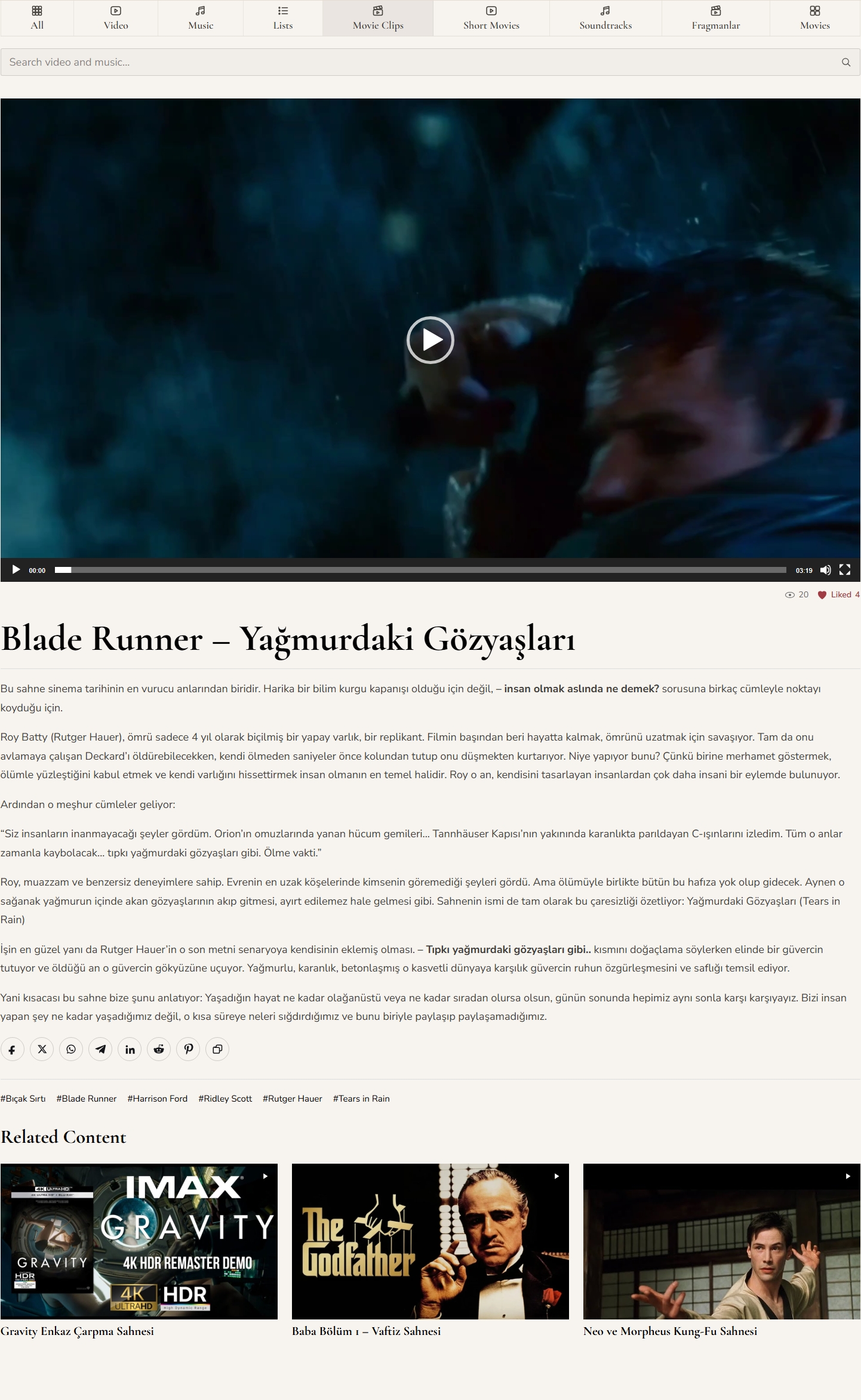
Use a video uploaded to the WordPress Media Library or a supported direct video file URL to play media without an external video platform. The built-in player provides play/pause, timeline, elapsed and total duration, volume and fullscreen controls.
Example: Blade Runner – Tears in Rain shows the built-in player and duration and volume controls below it. The browser must support the file and the server must make it accessible. Consider storage and bandwidth usage for large video files.
 Enlarge ⤢
3. Music players
Self-hosted music
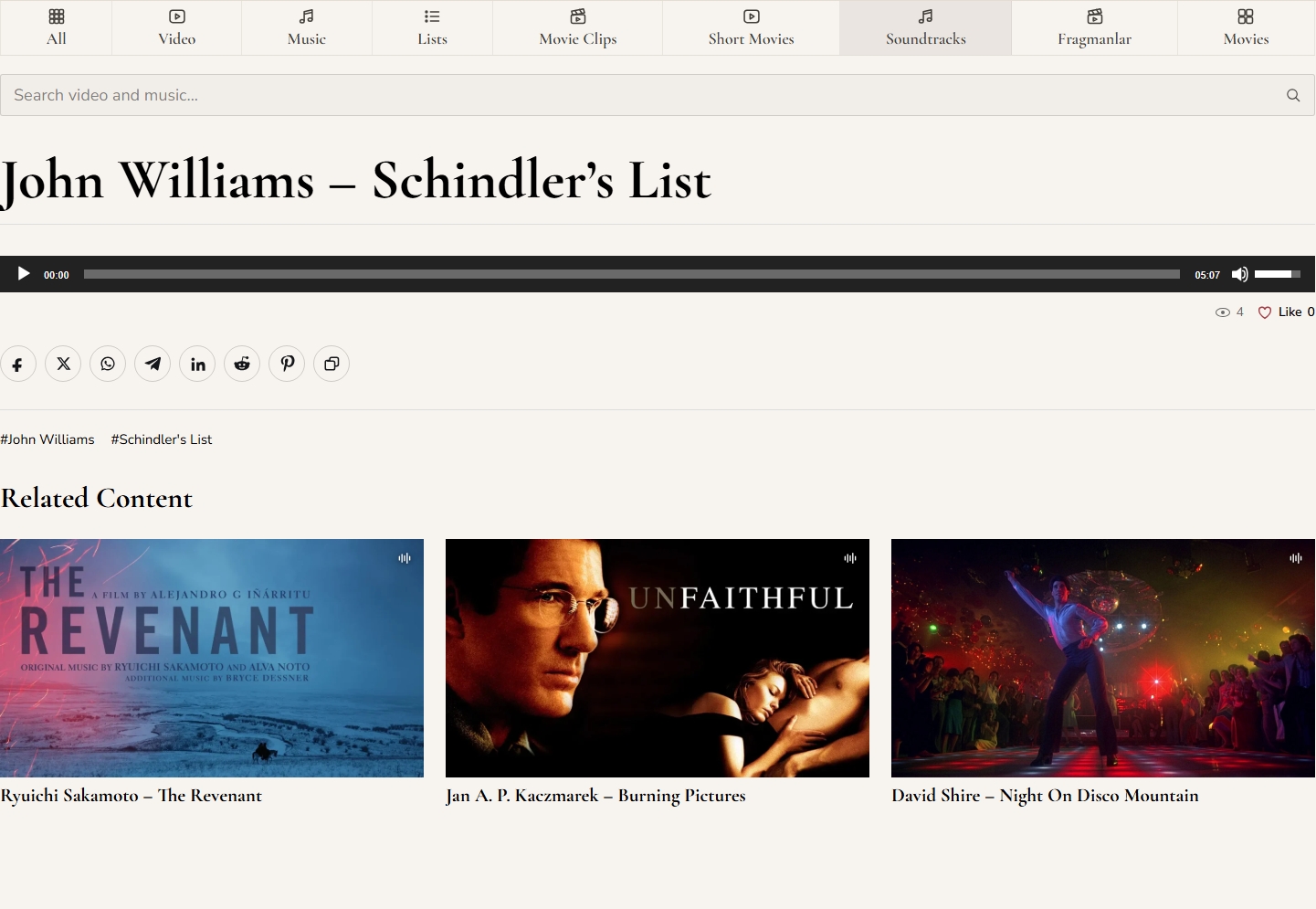
Audio files from the WordPress Media Library and supported direct audio links use the built-in audio player. A single music page includes a playback bar, play/pause, elapsed and total duration, and volume controls. This differs from the music player displayed over cover art on list pages.
Example: John Williams – Schindler’s List shows a horizontal playback bar below the title, followed by views, likes, sharing, tags and related music items.
 Enlarge ⤢
External music platforms
External music sources use their own embedded player interfaces. Appearance, controls and available listening duration depend on the link and provider.
| Platform | Player and use |
|---|---|
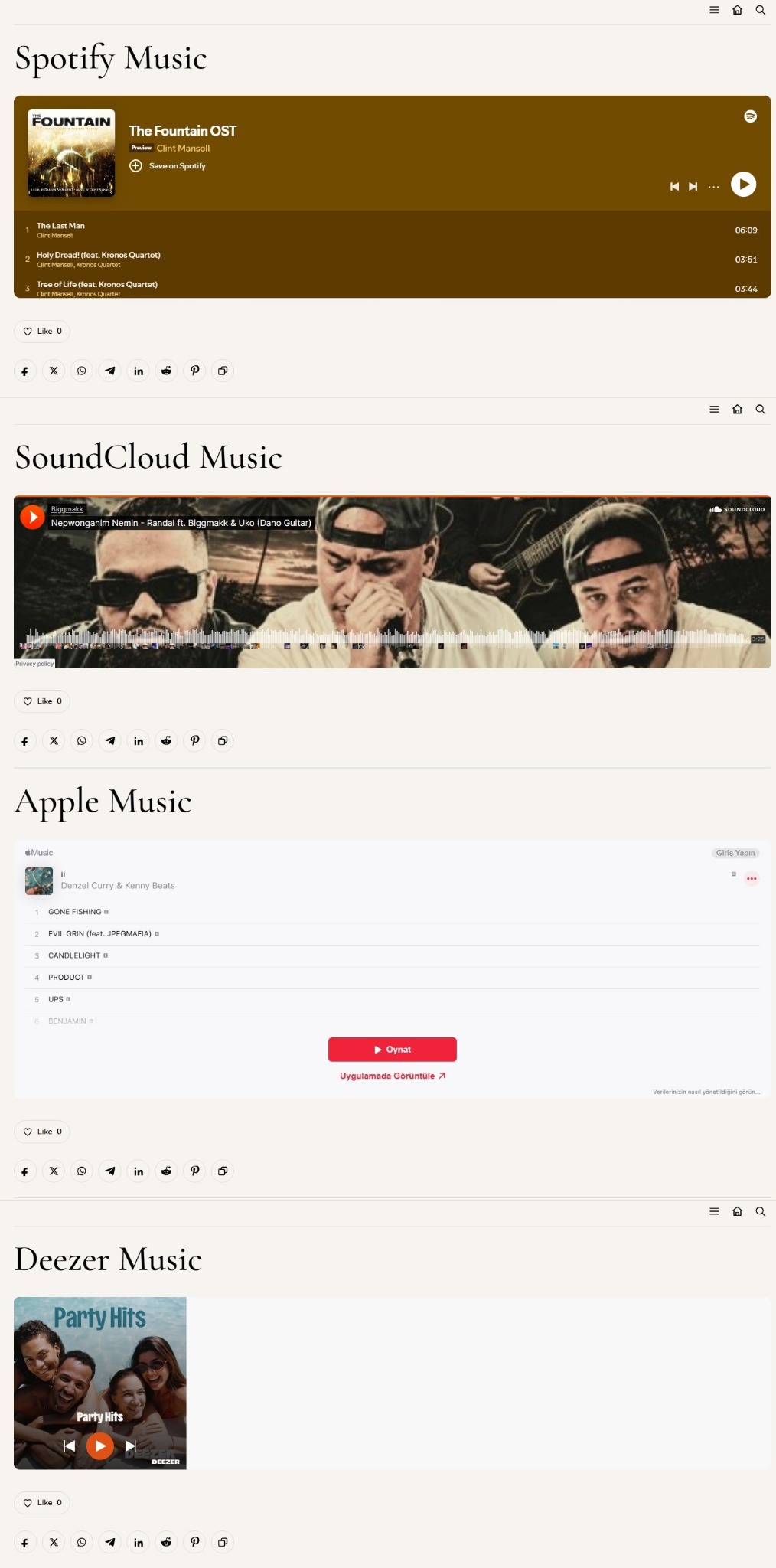
| Spotify | Uses the Spotify player for tracks, albums or supported playlists. The example shows album art, tracks and a preview label. |
| SoundCloud | May display source art and a waveform progress area. |
| Apple Music | Uses Apple’s embedded interface. Album tracks, playback and open-in-app options may be available. |
| Deezer | Uses the Deezer embed. Covers and playback controls depend on the link type and service permissions. |
| YouTube Music | Supported links use a YouTube-based embedded player. Playback depends on YouTube permissions. |
Compare Spotify, SoundCloud, Apple Music and Deezer in the screenshot below. Each platform has its own player, rather than one shared plugin audio player. Some services offer only previews or require an account, subscription or regional access for full tracks. The plugin does not remove these restrictions.
 Enlarge ⤢
4. List players
Single media pages and list pages have different layouts. A list page includes a Playlist section where visitors select another item alongside the main player. Music lists also provide Shuffle.
Autoplay and automatically advancing after an item ends are different features. Supported end events depend on the source platform and browser permissions. See Playback Behavior for source-specific behavior and actual list player examples.
5. Save settings
- Configure video and audio autoplay separately.
- Set YouTube privacy as needed.
- Click Save Settings.
- Open View Gallery and check local and external video and music examples on desktop and mobile.
6. Troubleshooting
| Situation | What to check |
|---|---|
| Video or music does not start automatically. | Check the relevant autoplay option and browser permissions. Press Play if needed. |
| YouTube or Vimeo video does not open. | Check that the source URL is valid and embedding is permitted. |
| Local audio or video cannot play. | Check file accessibility, media format and browser support. |
| Music plays only briefly. | Check the source platform’s preview and account conditions. |
| Players look different. | External providers use their own interfaces; this is expected. |
| A list does not advance. | Check the source’s end notification support and browser autoplay permissions. |
Related guides: Adding Video and Music · Supported Media Sources · Single Content · Playback Behavior.